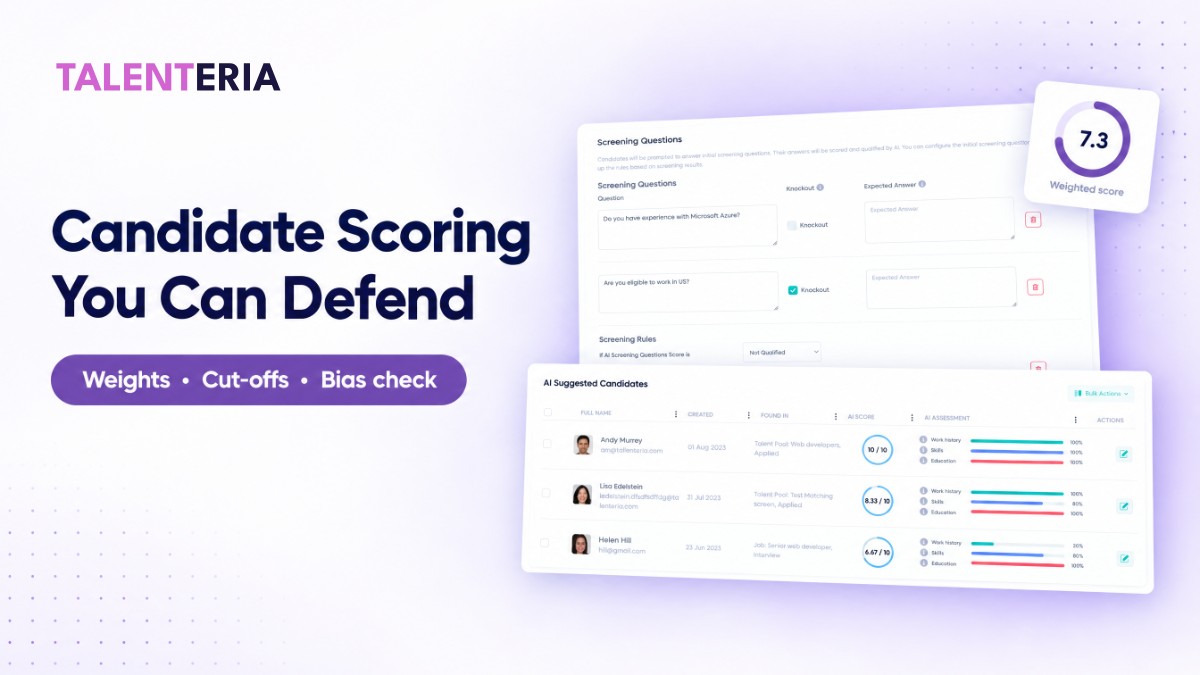
Candidate scoring turns "I liked this resume" into a number your team can compare, defend, and improve. Most guides stop at "pick criteria and weight them." The hard parts are deciding where the cut-off sits, making sure two reviewers would give the same score, and proving the model doesn't screen out one group more than another. This guide walks through all five steps with one worked example you can copy.
What candidate scoring is (and what it isn't)
A candidate scoring system rates every applicant against the same job-related criteria, on the same scale, with the same weights. The output is a single number per candidate plus the sub-scores behind it.
It is not a ranking by gut feel with numbers attached afterwards. It is also not a replacement for interviews. Scoring decides who gets a closer look, not who gets the job. Structured, criteria-based evaluation is consistently among the strongest predictors of job performance in selection research (Sackett et al., 2022, summarized by SIOP). The same discipline applied at the resume stage is what candidate scoring is for.
Step 1: Pick 3–5 criteria and separate the knockouts
Start from the job, not from a generic template. For each requirement, ask one question: can a candidate be missing this and still succeed?
- No → it's a knockout: work authorization, a required license, a non-negotiable shift pattern. Handle it with a yes/no screening question, never with points.
- Yes, but it matters → it's a scored criterion: relevant experience, specific skills, education, languages.
Keep scored criteria to 3–5. With more than five, each weight gets small and reviewers start to disagree. Mixing knockouts into the weighted score is the most common design error. A candidate without work authorization can still reach 7/10 on everything else, and a weighted score will hide that.
Step 2: Set weights and score on one scale
Score each criterion from 0 to 10, then combine them with a weighted average:
Score = Σ (criterion score × weight) ÷ Σ weights
Worked example for a Customer Support Team Lead role. Weights: Experience 3, Skills 2, Education 1.
| Candidate | Experience (×3) | Skills (×2) | Education (×1) | Unweighted average | Weighted score |
|---|---|---|---|---|---|
| A | 8 | 7 | 6 | 7.0 | 7.3 |
| B | 5 | 9 | 9 | 7.7 | 7.0 |
| C | 9 | 4 | 5 | 6.0 | 6.7 |
The weights change the order. Unweighted, Candidate B leads. Weighted toward the leadership experience this role actually needs, Candidate A leads. That's the point of weighting: the order should reflect what predicts success in this job. Write down why each weight is what it is. You'll need that reasoning in Step 5.
Step 3: Set cut-off bands from your own past applicants
A score without a cut-off still leaves a recruiter reading every resume. Don't pick a round number like 7.0 because it feels right. Back-test it.
Take a closed requisition for the same role, score its applicants with your new model, and see where the people you actually advanced landed. In our example, 120 past applicants, 18 finalists, and 9 hires:
| Score band | Applicants | Reached final interview | Hired | Rule going forward |
|---|---|---|---|---|
| 7.0–10 | 26 | 15 | 8 | Advance to recruiter review same day |
| 5.5–6.9 | 41 | 3 | 1 | Human read within 48 hours |
| Below 5.5 | 53 | 0 | 0 | Decline after knockout check |
The lower cut-off at 5.5 would have removed 53 resumes (44%) from full review without losing a single finalist. Set the lower cut-off at the highest score that loses zero, or at most 5%, of past finalists. Re-run the back-test whenever the job description changes materially.
Step 4: Calibrate your scorers
If people score any criterion by hand, or override automated scores, run a 30-minute calibration drill before going live. Three reviewers independently score the same five resumes on each criterion, then compare. Target: no criterion with a spread of more than 2 points on the 0–10 scale.
| Resume | Skills: Reviewer 1 | Reviewer 2 | Reviewer 3 | Spread |
|---|---|---|---|---|
| 1 | 7 | 8 | 7 | 1 ✓ |
| 2 | 5 | 5 | 6 | 1 ✓ |
| 3 | 8 | 4 | 7 | 4 ✗ |
| 4 | 6 | 7 | 6 | 1 ✓ |
| 5 | 9 | 6 | 6 | 3 ✗ |
Two misses on Skills means the criterion isn't defined well enough. Add behavioral anchors for 2, 5, and 8 ("8 = has led a queue of 10+ agents and owned its SLA"), then re-run the drill. If you use rating scales for interviews too, the same idea applies (see behaviorally anchored rating scales).
Step 5: Run a four-fifths adverse impact check
Every guide says scoring "reduces bias." Here is how to check that it does. Under the U.S. Uniform Guidelines, a selection rate for any group that is less than four-fifths (80%) of the rate for the highest group is generally treated as evidence of adverse impact (29 CFR 1607.4(D)).
Apply it to the step your cut-off controls, which is who advances to human review (score 5.5 or above):
| Group | Applicants | Advanced | Selection rate |
|---|---|---|---|
| Group 1 | 80 | 48 | 60.0% |
| Group 2 | 40 | 19 | 47.5% |
Impact ratio = 47.5% ÷ 60.0% = 0.79, just under 0.80, so this cut-off gets flagged. What to do:
- Find the criterion driving the gap. Compare sub-scores by group; in this example it's Education.
- Ask whether that criterion is truly job-related at that weight. For a team lead role, a degree requirement often isn't.
- Re-run with the weight lowered (Education 1 → 0.5) and re-check both the back-test (Step 3) and the ratio.
- Document the change and the reason.
With small groups (under ~30 applicants each), one or two people swing the ratio, so treat it as a signal to investigate rather than a verdict. If you hire in New York City using automated tools, annual independent bias audits are also required (NYC Local Law 144). This is general guidance, not legal advice.
When the numbers go wrong
| Symptom | Likely cause | Fix |
|---|---|---|
| Most applicants score 7+ | Criteria too broad, or job requirements too generic | Tighten "Skills required" to 4–6 specific skills |
| Finalists keep coming from the middle band | Weights don't match what hiring managers value | Interview 2 hiring managers, re-weight, re-run the back-test |
| Reviewers override scores often | Criteria not anchored | Run the calibration drill, add anchors |
| Impact ratio below 0.80 | One criterion over-weighted or not job-related | Step 5, items 1–4 |
How to set this up in Talenteria
If your team uses Talenteria, the five steps map directly to its screening setup:
- Write the job requirements first. AI scoring compares each candidate against the job's Skills Required and Education Level requirement fields and its description, so vague fields produce vague scores (help: candidate scoring).
- Set importance weights. Talenteria scores Experience, Education, and Skills from 0 to 10 each, and you set the importance of each criterion. Use the weights you justified in Step 2. Add Custom Instructions for role-specific credit, such as contact-center leadership experience.
- Keep knockouts as knockouts. Use screening questions with knockout answers to automatically disqualify ineligible candidates, separate from the score (AI screening and scoring).
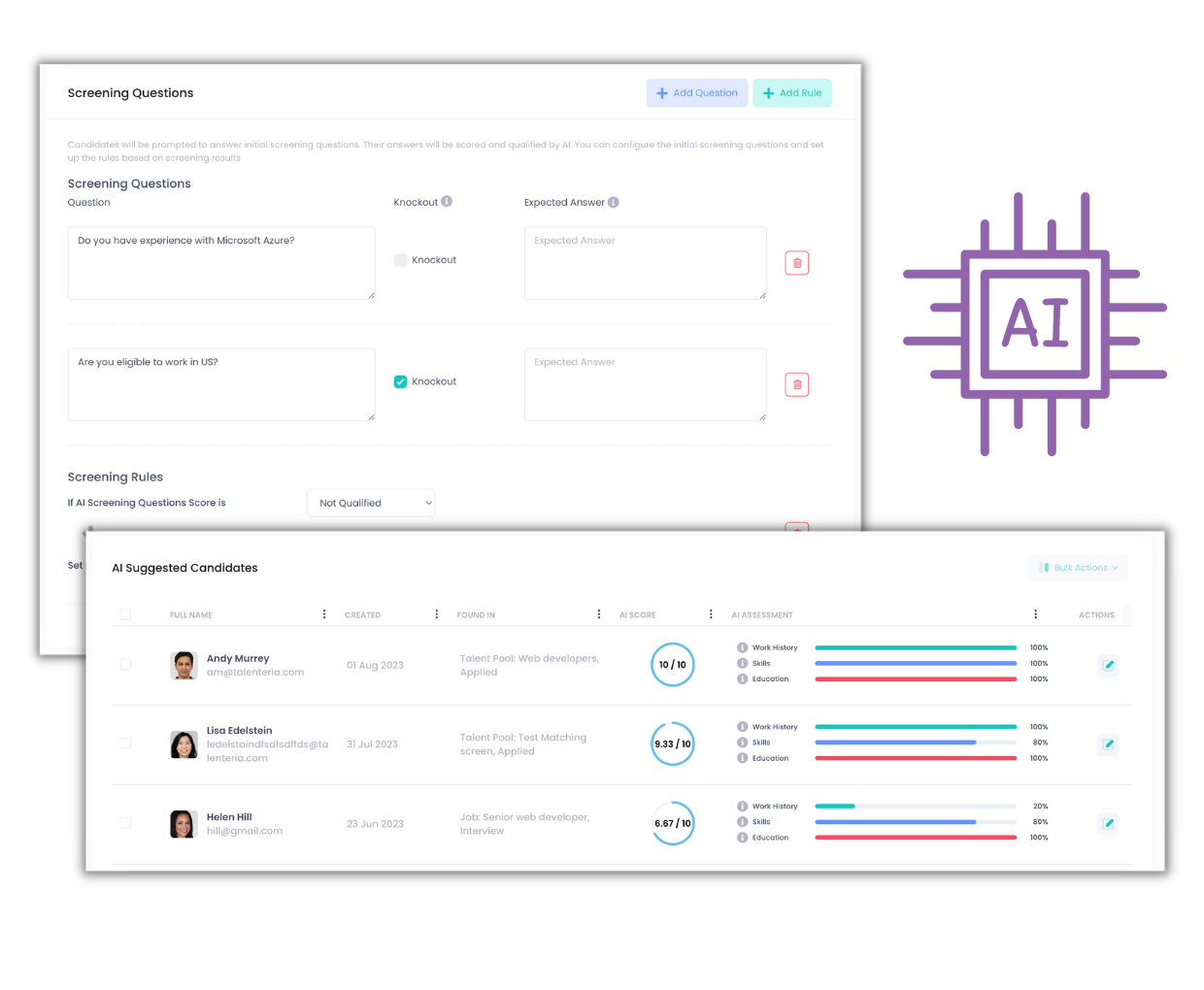
- Turn your cut-off bands into rules. Automation rules based on AI score can tag, prioritize, or move candidates, for example sending your top band to the hiring manager's shortlist.
- Audit with the analytics view. Per-job analytics show aggregated scores, skills, experience, and education, so you can compare candidates against the job average. Hover the "i" icon on a candidate card to read the AI's comments on each criterion before overriding a score.

Candidate scoring checklist
- 3–5 scored criteria, each tied to a written job requirement
- Knockouts handled as yes/no questions, not points
- Weights written down with a one-line reason each
- Cut-off bands back-tested on at least one closed requisition (zero to 5% of finalists lost)
- Calibration drill passed: spread of 2 points or less on every criterion
- Four-fifths check run at each cut-off and documented
- Review date set: re-test every quarter or when the job changes
The bottom line
Candidate scoring is only as good as its weights, its cut-off, and its audit. Back-test the cut-off on real applicants, calibrate the people scoring, and run the four-fifths check before you trust the number. Teams that want this running on every requisition can see how Talenteria scores and screens candidates. Weights, knockouts, and automation rules are set per job, with explanations attached to every score.


