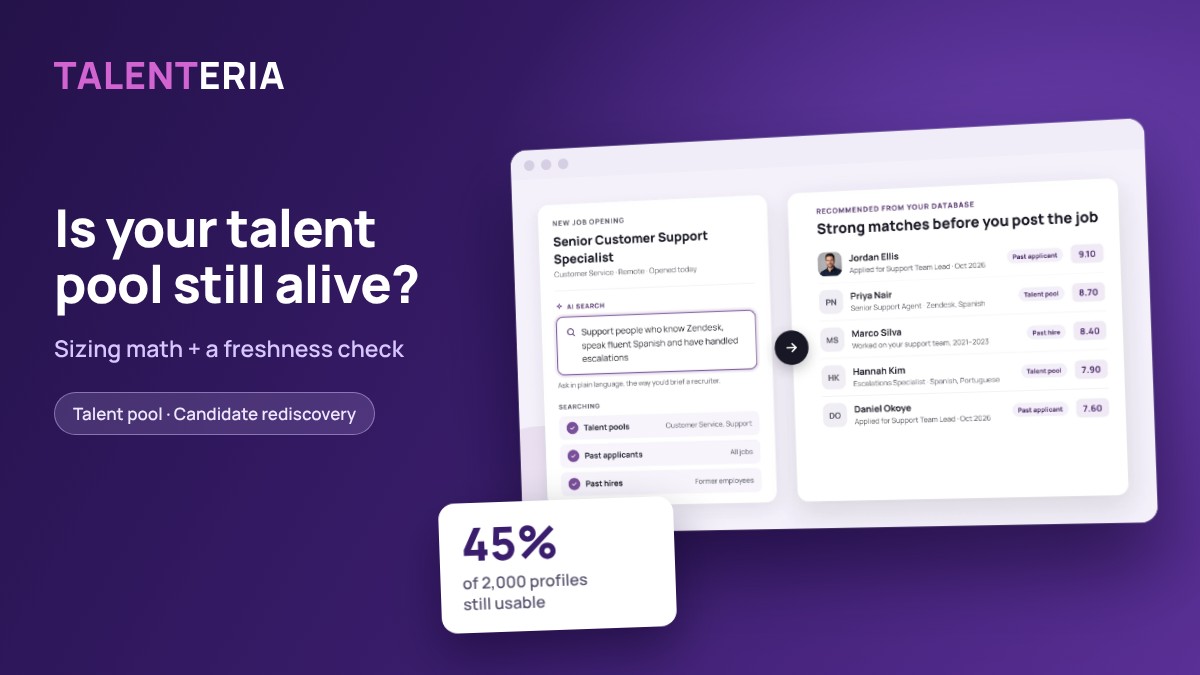
A database of 5,000 candidate profiles looks like an asset until you message 300 of them and 12 reply. Most pools grow by accident and get judged by headcount, so few recruiters can say whether theirs will fill next quarter’s roles. This guide shows how to size a talent pool from your hiring plan, score it for freshness, and keep it usable with a re-engagement cadence you can put on a calendar.
What the pool is for
A talent pool database holds people you have already met, screened or sourced: silver medalists, past applicants, career-site sign-ups, referrals and alumni. A talent pipeline is narrower. It holds people you are actively moving toward a specific open or planned role.
The test of a pool is not its size. It is how many hires it produces when a role opens, and how fast. That turns pool building into a planning problem with three numbers:
- How many hires you want from the pool.
- How many people you must contact to get them.
- How many profiles are still reachable and relevant.
Silver medalists are the natural starting point for candidate rediscovery. In a SHRM report on talent rediscovery, Forrester analyst Betsy Summers says past candidates “often remain a 70 percent or more match” for new requirements. The catch is that a match on paper is worthless if the person changed jobs or stopped reading your emails.
Step 1: Size your talent pool from the hiring plan
Work backward from hires, not forward from profiles. Here is a worked example for a contact center.
- Hiring plan: 40 Customer Support hires next quarter.
- Goal: 25% of them from the pool, which is 10 hires.
- Funnel rates: example rates below. Replace them with your own after one quarter.
| Funnel step | Rate | People |
|---|---|---|
| Contacted | — | 313 |
| Replied | 20% | 62.6 |
| Available and interested | 50% | 31.3 |
| Passed interview | 40% | 12.5 |
| Accepted offer | 80% | 10.0 |
Multiply the rates to get hires per contact: 0.20 × 0.50 × 0.40 × 0.80 = 0.032. That is 3.2 hires per 100 people contacted. Then divide your target by it: 10 ÷ 0.032 = 312.5, so you contact 313 people.
You can only contact people who match the role. If 35% of usable profiles in the segment pass your screening threshold for Customer Support, the pool you need is 313 ÷ 0.35 ≈ 895.
Result: about 895 usable profiles in the Customer Support segment, not 895 profiles company-wide. Size each role family separately. A pool that is huge in sales and thin in support will not fill a support plan.
If you have no funnel data yet, start with the example rates and correct them after the first cycle. The reply rate is the one most likely to be off, so measure it first.
Step 2: Score freshness, not headcount
Profiles decay because people move. According to the U.S. Bureau of Labor Statistics, 20.6% of wage and salary workers had been with their current employer for a year or less in January 2026. A profile you saved last year may describe a job the person no longer holds.
So stop counting profiles and start counting usable profiles. Base it on the date of the last two-way contact: a reply, an application, a profile update or a call. An email you sent that got no answer does not count.
| Band | Last two-way contact | Usable? | Action |
|---|---|---|---|
| Fresh | 0–90 days | Yes | Match and contact |
| Cooling | 91–180 days | Yes | One-question check-in |
| Stale | 181–365 days | No | Re-permission email, 2 tries |
| Expired | Over 365 days | No | Delete or anonymize |
Your freshness rate is (Fresh + Cooling) ÷ all profiles in the segment.
Worked example: the 2,000-profile segment
The Customer Support segment holds 2,000 profiles: 520 fresh, 380 cooling, 610 stale and 490 expired. Usable profiles are 520 + 380 = 900, so the freshness rate is 900 ÷ 2,000 = 45%.
That covers the 895 needed from Step 1 with a buffer of just 5 profiles. The headline number, 2,000, suggested more than twice the need. Also note the 380 cooling profiles. Without contact they all turn stale within 90 days, so they are next quarter’s workload.
Set a working target of 50% or more usable profiles per segment. Below that, fix the cadence before you add new profiles.
Step 3: Re-engage on a 90-day cadence
In talent pool recruitment, a cadence keeps the usable share from sliding. Run it per segment, every quarter.
| When | Who | Message |
|---|---|---|
| Week 1 | Cooling profiles | One-question check-in |
| Role opens | Fresh matches | Role-specific invite |
| Week 6 | Stale profiles | Re-permission email |
| Week 8 | Stale, no reply | Second and final try |
| Quarter end | Expired profiles | Delete or anonymize |
Keep the check-in to one question with three answers, for example: “Are you still open to support roles in Toronto? Reply yes, not now, or remove me.” Each answer updates the record. “Yes” moves the person to Fresh. “Not now” resets the clock and stores an availability date. “Remove me” deletes the profile.
When a role opens, contact silver medalists first, ranked by their last screening score. They already passed part of your process, so they are usually your warmest contacts. Send one named role with pay range and location, not a newsletter. A message about a specific job gives people a reason to answer today.
In Talenteria, AI Search handles the matching step. You describe the role in plain language, the way you would brief a recruiter. It then searches your pools, past applicants and past hires, and returns each match with a score and an AI profile that explains why the person was suggested.
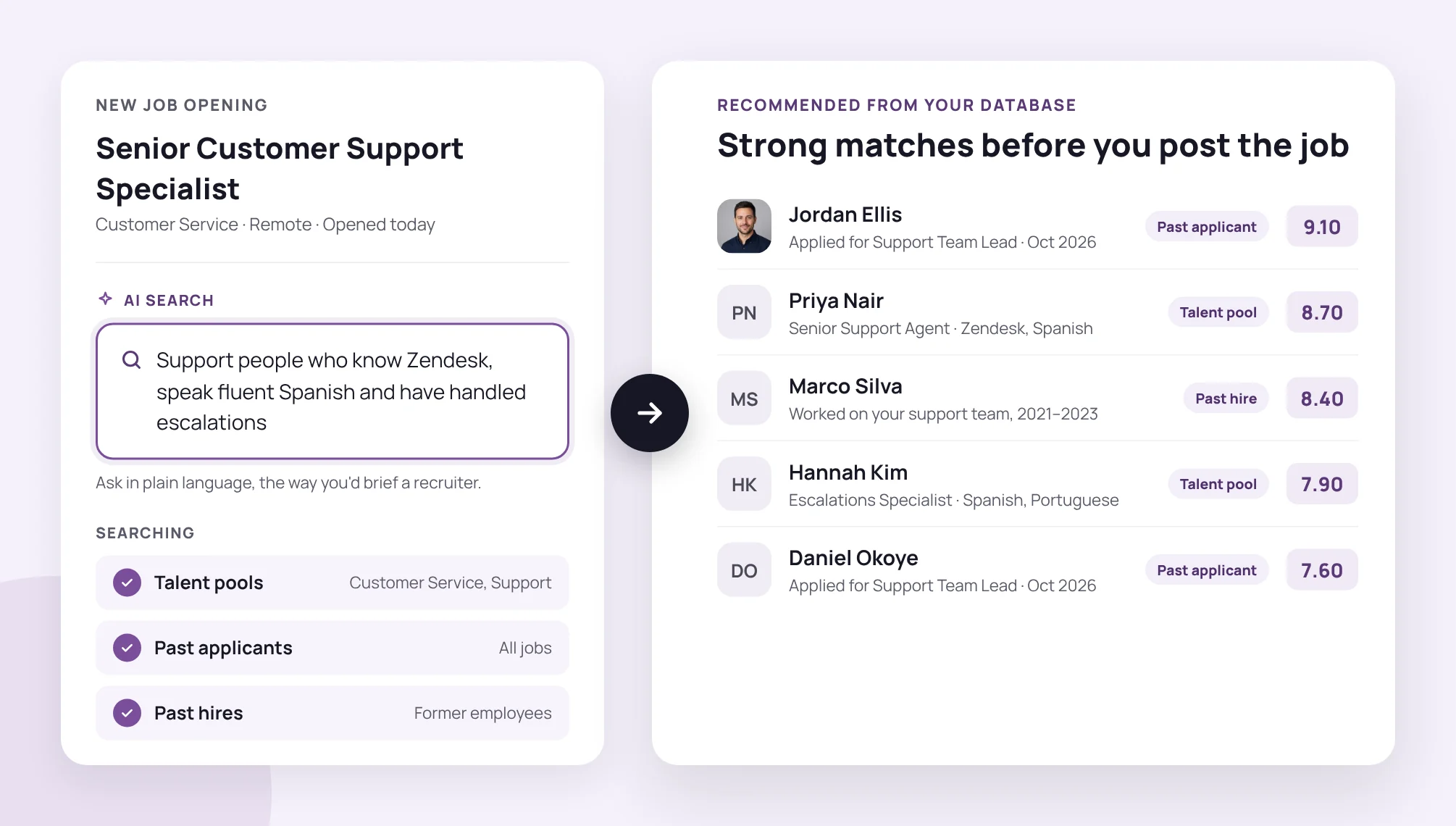
AI Search ranks matches from pools, past applicants and past hires before the job is posted.
Step 4: Keep each record lean and lawful
The GDPR’s storage limitation principle, Article 5(1)(e), says personal data should be kept no longer than the purpose requires. For a candidate pool, that means every profile needs a reason to be there and a date it leaves.
Seven fields are enough to run everything in this guide:
| Field | Example | Used for |
|---|---|---|
| Role family | Customer Support | Sizing per segment |
| Source | Silver medalist, Oct 2026 | Reply rate by source |
| Consent captured | 2026-10-14, career site | Proof of permission |
| Last two-way contact | 2026-10-14 | Freshness band |
| Availability | Open from Jan 2027 | Skip unavailable people |
| Last score | 8.4 / 10 | Rank silver medalists |
| Delete-by date | 2027-10-14 | Retention window |
Set the delete-by date as last two-way contact plus your retention window. The example uses 12 months, and every reply resets it. Agree on the window with your privacy or legal team and state it in your candidate privacy notice. This article is not legal advice.
When the numbers go wrong
Each metric points to a specific fix.
| Symptom | Likely cause | Fix |
|---|---|---|
| Reply rate under 10% | Generic messages | One role, one question |
| Match rate under 20% | Pool built for old roles | Source for the hiring plan |
| Interview pass under 25% | Entry bar too low | Require a screening score |
| Usable share falls 2 quarters | Cadence not running | Calendar it, name an owner |
| Expired over 30% | No delete-by dates | Backfill dates, then purge |
A low reply rate is usually a message problem, so fix it before you add profiles. A low match rate means the pool was built for last year’s roles. Compare segment sizes with the hiring plan and source where the gap is largest.
How to do this in Talenteria
Talenteria covers intake, matching and outreach. Your team still owns the freshness bands and retention rules above.
- Segments: create talent pools by role, team, location or client, and search across all of them at once.
- Intake: candidates can join pools from your career site. The recruitment chatbot also invites site visitors to join your talent network. Each pool’s analytics show applicants, page views, conversion rate and applicants by source.
- Matching: when a new job opens, AI-suggested candidates come from your database. Each has match levels for work history, skills and education, plus an overall score.
- Outreach: send email campaigns to a pool, or let AI draft an outreach email that you review before it goes out.
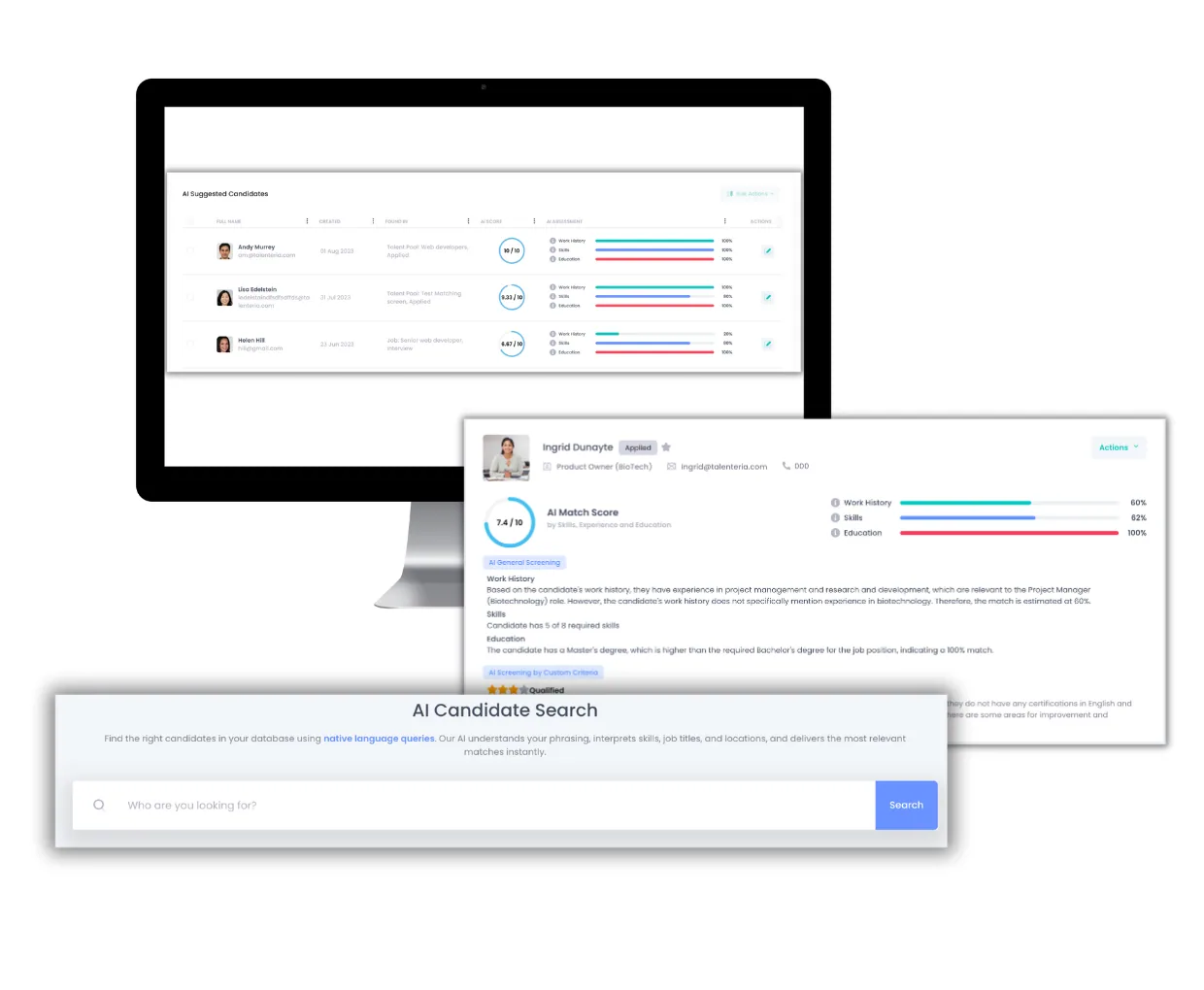
AI-suggested candidates show where each person was found and an AI match score by work history, skills and education.
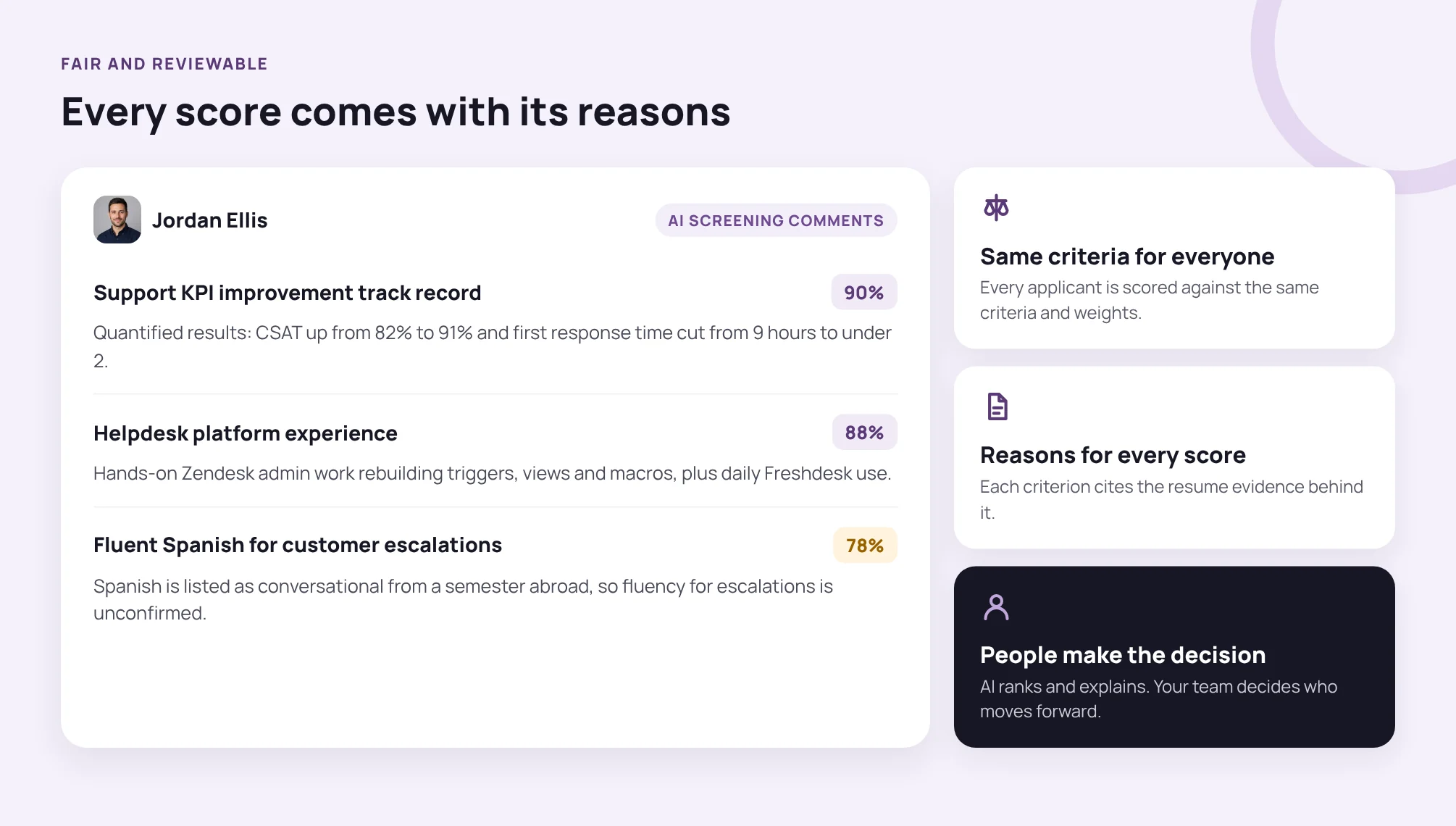
Each score is broken down by criterion with the resume evidence, so a recruiter can check why someone was suggested.
Make your pool a number you can plan
A talent pool is ready when you can name three figures for each role family: the usable profiles you need, the usable profiles you have, and the date each record expires. Start with one segment this week. Run the sizing math, count the four bands and put the first check-ins on the calendar.
For the matching and outreach steps, Talenteria finds the right people in your existing database and helps you contact them. See how it works at talenteria.com.
Sources
- Talent Rediscovery Tools Help Address Labor Shortages, SHRM, Nov 2022
- Employee Tenure Summary, U.S. Bureau of Labor Statistics, Sep 2026
- Art. 5 GDPR: Principles relating to processing of personal data