OCR resume scanning turns a picture of a resume (a scanned PDF, a phone photo, an old fax) into text your ATS can search and score. When it works, nobody notices. When it misreads one character, the candidate’s email bounces or their start date shifts by three years, and no one on the team ever learns why a strong applicant went quiet.
This guide shows how to measure the problem in your own pipeline in about an afternoon. You’ll find out how many of your resumes are scans, how accurate OCR really is on them field by field, and what to do with the files that fail.
What OCR resume scanning does, and where it can fail
Resume parsing has two steps. First, text is pulled out of the file. Second, that text is labelled: name, email, employer, dates. A Word file, or a PDF exported from Word, already has a text layer, so step one simply reads it. A scanned PDF or a JPG contains only pixels. OCR (optical character recognition) converts those pixels into characters before the parser labels anything.
That makes OCR a single point of failure. The parser can only be as right as the text it receives. If OCR reads “2019” as “2016”, the parser will faithfully store the wrong start date.
Here’s a 5-second test for any file: open it in a PDF viewer and try to highlight a sentence. If nothing highlights, the page is an image and needs OCR. If it highlights but the pasted text is gibberish, the file has a broken text layer, so treat it as a scan too.
Why “99% accurate” OCR still breaks contact details
Vendors usually quote character accuracy, but recruiters need field accuracy: was the whole email address right? Character error rate counts wrong, missing and extra characters against the total. A field, by contrast, only counts as accurate if its entire value is correct. One wrong character makes the whole email wrong.
If each character is read correctly with probability a, a field of n characters comes out fully correct with probability:
P(field correct) = an
| Field | Typical length | At 99.0% per character | At 99.8% per character |
|---|---|---|---|
| Phone number | 12 characters | 88.6% correct | 97.6% correct |
| Full name | 15 characters | 86.0% correct | 97.0% correct |
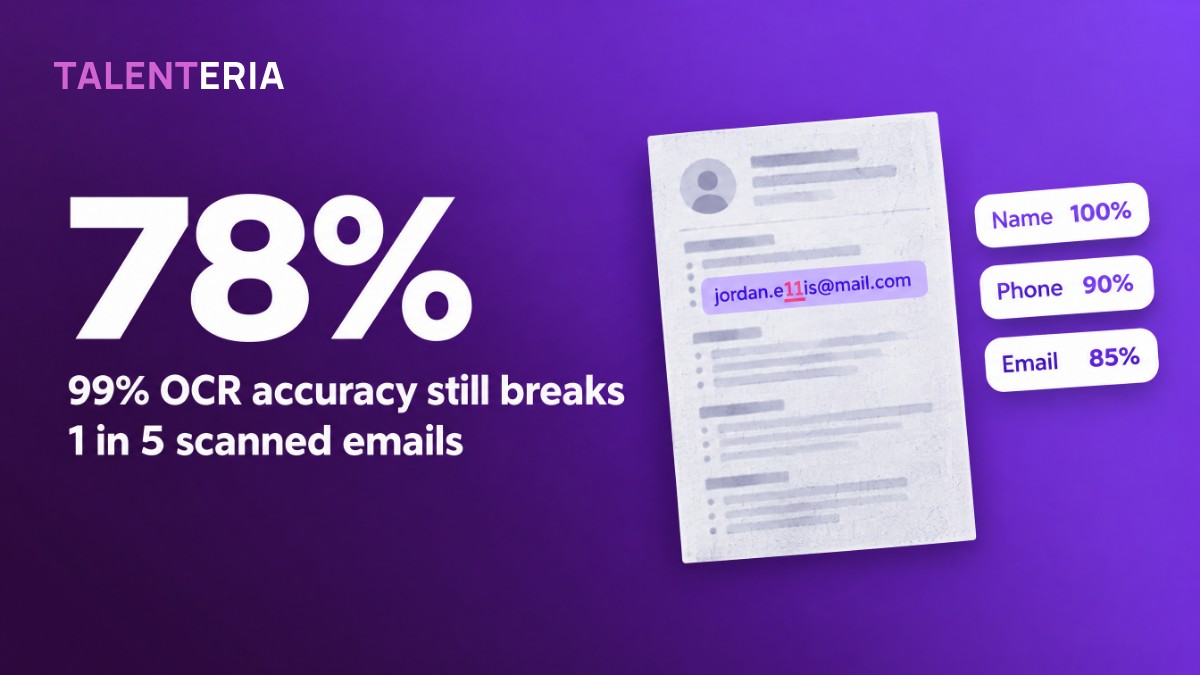
| Email address | 25 characters | 77.8% correct | 95.1% correct |
So at 99% character accuracy, more than 1 in 5 email addresses comes out wrong. Real errors aren’t spread evenly. They cluster on poor pages, so some files come out perfect while others are a mess. That’s why you test file by file instead of trusting an average.
Contact fields are also the hardest for OCR. They mix letters and digits, so swaps like l/1, O/0 and rn/m look plausible, and no dictionary catches them.
Step 1: Measure how many of your resumes are scans (30 minutes)
Pull 100 resumes received in the last 90 days. Spread the sample across every intake source: career site, email applications, agencies and job boards. Run the highlight test on each one and note its source.
Worked example. A team receives 1,200 resumes a month and samples 100. Seven are image-only and three have a broken text layer, so 10% of files depend on OCR, or about 120 resumes a month. Eight of the ten came in by email or from one agency; only two came through the career site.
Use the share to decide how much effort to spend. These are rules of thumb:
- Under 2%: a manual check on each scan costs less than any process change.
- 2–10%: run the scorecard in Step 2.
- Over 10%, or concentrated in one source: run the scorecard and fix the source as well (see below).
Step 2: Score 20 scanned CVs on six fields
Pick 20 scanned files and include the hard ones: phone photos, two-column layouts, faxes and non-English CVs. For each file, type the true values from the original document, then compare them with what the system stored. Count only exact matches.
The scorecard (worked example)
Pass marks are set by what a wrong value costs. A wrong email means the candidate never hears from you, so contact fields need the highest bar; 95% for email is a common benchmark.
| Field | Pass mark | Result (correct / 20) | Verdict |
|---|---|---|---|
| Full name | 98% | 20 / 20 (100%) | Pass |
| 95% | 17 / 20 (85%) | Fail | |
| Phone | 95% | 18 / 20 (90%) | Fail |
| Most recent employer | 90% | 19 / 20 (95%) | Pass |
| Most recent job title | 90% | 18 / 20 (90%) | Pass |
| Start and end dates, latest two roles | 90% | 15 / 20 (75%) | Fail |
| All fields | — | 107 / 120 (89.2%) | — |
The 89% overall looks acceptable. The field view tells a different story. Three of the 20 scanned candidates can’t be reached by email, and a quarter have wrong dates, which skews experience totals and any score that uses years of experience. At 120 scans a month, a 15% email failure rate means about 18 candidates a month who never get your reply.
What to do when a field fails
- Email or phone below 95%: for every file flagged as a scan, a recruiter checks contact fields against the original before first outreach. At about 30 seconds a file, 120 scans a month costs roughly one hour.
- Dates below 90%: don’t use years of experience as a knockout criterion for scanned files. Check dates against the original for everyone who makes the shortlist.
- Whole files garbled (three or more of six fields wrong): check image quality. OCR engines such as Tesseract work best at 300 DPI or more, and line detection degrades significantly on skewed pages. Ask the candidate to re-upload a Word file or a text-based PDF.
- Failures concentrated in one source: fix it upstream. Ask the agency to send original files instead of scans, or add “Word or text PDF preferred” to the application email auto-reply.
Re-run the scorecard every quarter and after any change to your parser or intake channels.
Step 3: Check that redaction still works on scans
If you use resume redaction for blind screening, it runs on the extracted text, so OCR errors become redaction gaps. A misread name (“Jordan Ellis” read as “Jordan Eilis”) won’t match the redaction pattern. A name set inside an image header may never become text at all. Either way, the “anonymous” profile can still show who the candidate is.
- Run 10 scanned CVs through redaction and open the redacted output itself, not a summary.
- Search that output for each candidate’s first name, last name, and email handle.
- Check headers, footers and photos, where OCR most often skips or garbles text.
- Check whether reviewers can still open the original scan as an attachment. If they can, redacting the profile alone doesn’t blind anything.
- Repeat after every parser or OCR update.
If any name survives in 1 of 10 files, keep scanned CVs out of blind review until the gap is fixed, or redact those files by hand.
How to do this in Talenteria
Talenteria parses resumes in PDF, DOC, DOCX, TXT and RTF formats and in 50+ languages. It extracts name, email, phone, address, education, experience and skills. Parsing runs when a recruiter creates a candidate from the Candidate List and when a candidate applies through the Career Site. Talenteria’s OCR update added parsing for scanned image and PDF resumes, turning them into structured candidate profiles.
Resumes can arrive from your ATS, the career site, email or bulk upload (AI candidate screening). Tag each file’s channel in Step 1 so you can see which source sends the scans.
When you run the scorecard, check whether a misread value fed into a score. AI screening explains each criterion’s score with the resume evidence behind it, so a wrong date or title shows up next to the points it cost.
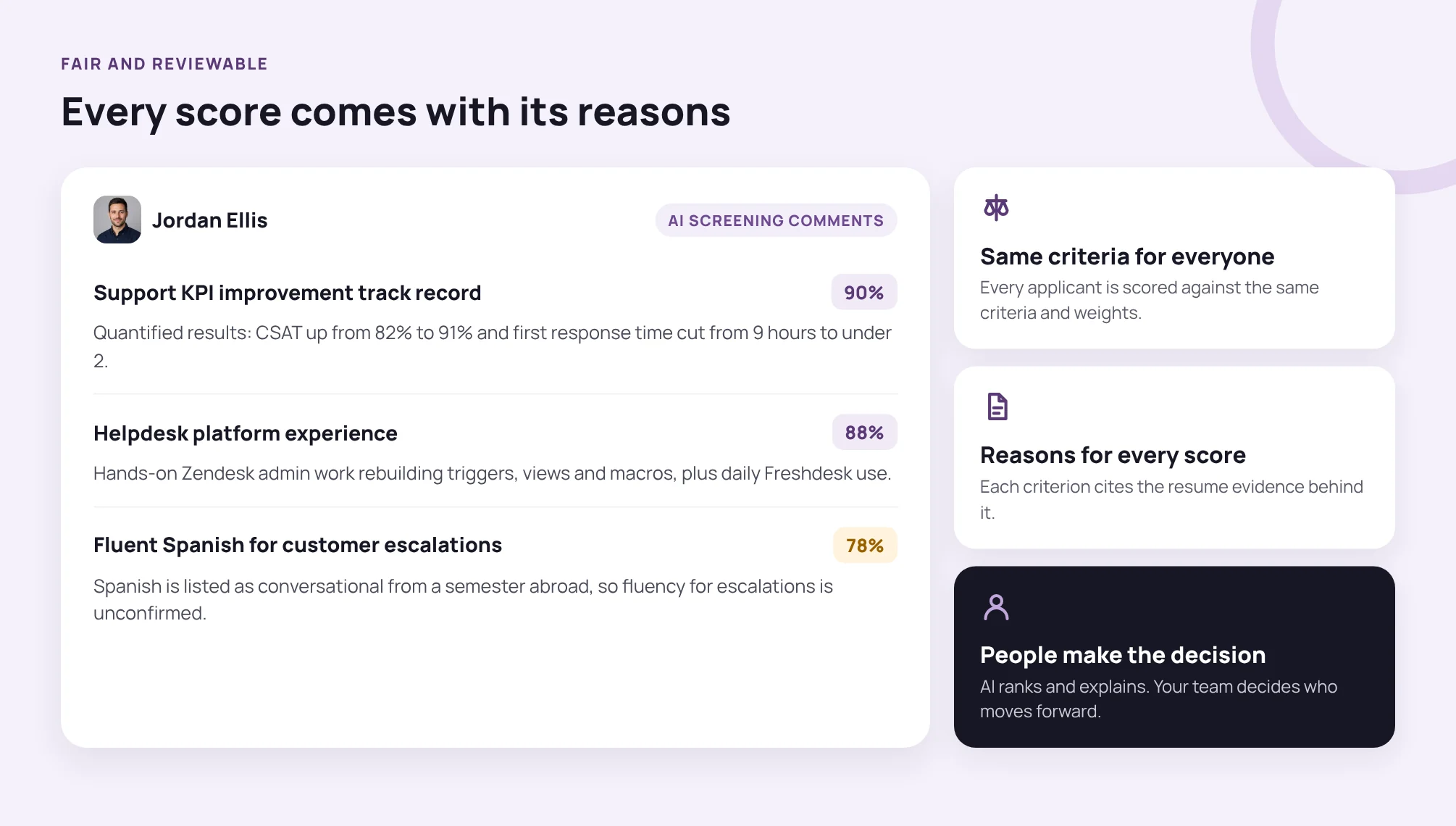
Each screening comment cites the resume evidence behind the score, so a misread date or title is visible before it costs a candidate points.
For shortlisted candidates who sent scans, compare the AI candidate profile’s career progression with the original file before the interview.
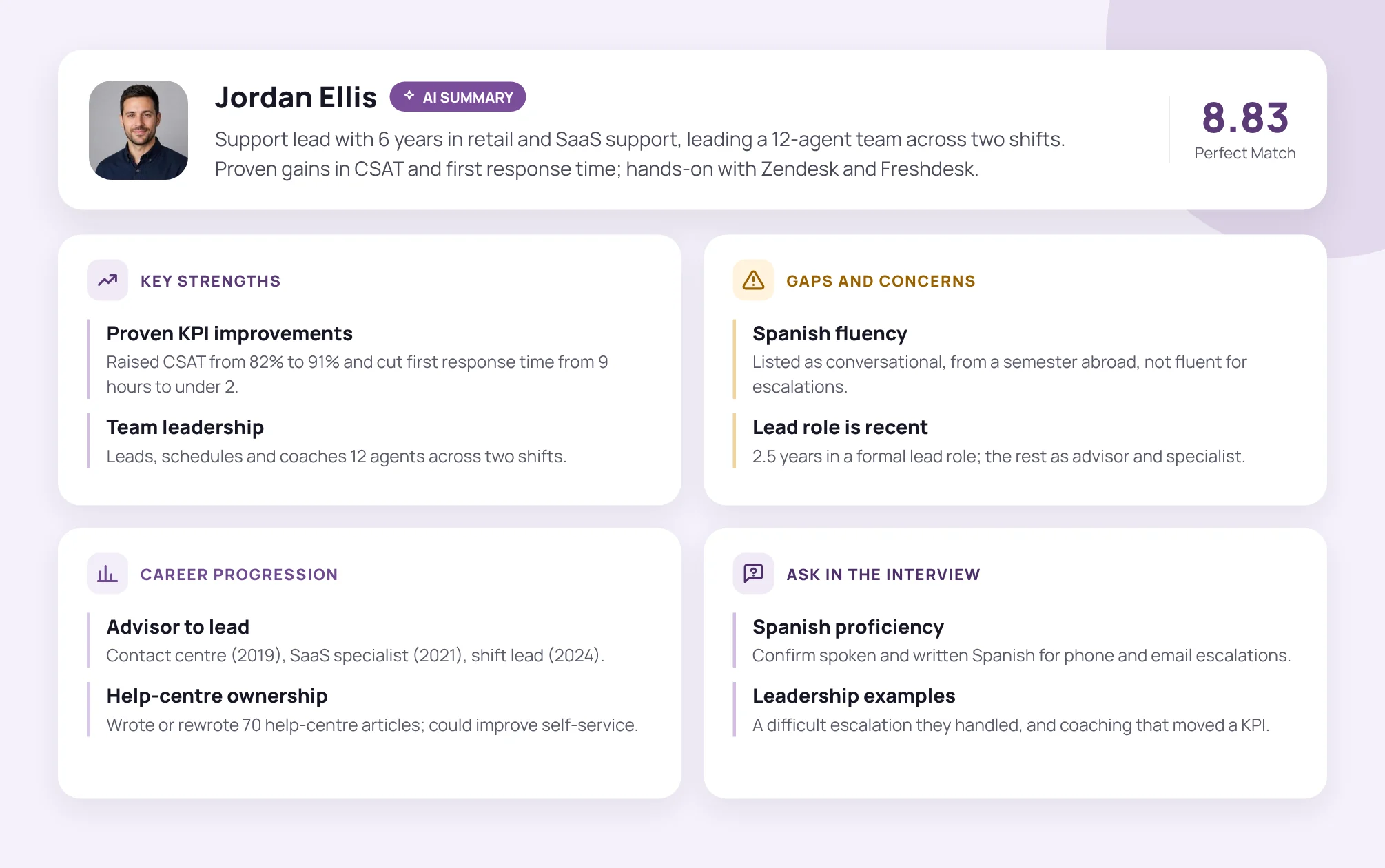
The AI candidate profile builds career progression from parsed dates and titles; check it against the original file for scanned CVs.
The bottom line
OCR resume scanning is invisible until it costs you a candidate. One afternoon is enough to test it: a 100-file triage, a 20-file scorecard and a 10-file redaction check. Together they tell you whether to trust it, which fields need a human check, and which sources to fix. For more on what happens after the text is extracted, see our guide to candidate scoring.
If you’d like resume parsing, AI screening and explained scores in one place, see how Talenteria works at talenteria.com.